In the landscape of Cheerio vs Puppeteer web scraping, developers and data analysts often struggle to choose the right tool for extracting website data efficiently. As web scraping becomes increasingly essential for competitive research, price monitoring, product tracking, and market analytics, selecting the correct approach matters more than ever. Cheerio and Puppeteer stand out as two widely used solutions in the JavaScript ecosystem, yet they cater to different scraping needs based on website structure and complexity. Cheerio is lightweight and ideal for quick data extraction from static websites where content is directly available in the HTML source. In contrast, Puppeteer is designed for dynamic websites that rely on JavaScript rendering and require browser simulation for accurate data capture. By comparing performance, use cases, scalability, and flexibility, this article explores Cheerio web scraping and Puppeteer web scraping to help determine which technology best aligns with your project goals and data requirements.
Before comparing the two, let’s briefly understand what Cheerio and Puppeteer are:
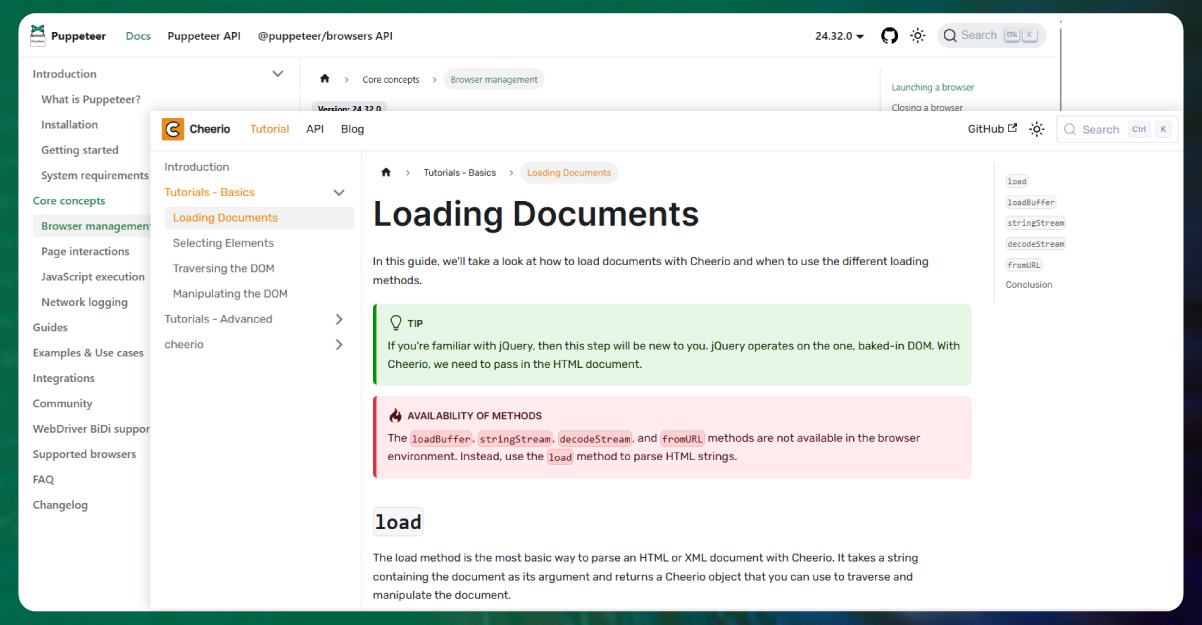
Cheerio web scraping is a fast, lightweight library that mimics jQuery’s syntax for manipulating and traversing HTML in Node.js. It is ideal for scraping static websites where the content is fully available in the HTML source code. Cheerio does not render JavaScript, which makes it extremely fast and resource-efficient for extracting static content.
On the other hand, Puppeteer web scraping is a headless browser automation library for Node.js that controls Chrome or Chromium. Puppeteer can interact with dynamic websites, render JavaScript, click buttons, fill forms, and capture screenshots. While it is more resource-intensive compared to Cheerio, Puppeteer provides a robust solution for scraping complex web pages that rely on client-side rendering.
Choosing between Cheerio and Puppeteer largely depends on the type of website you want to scrape, your project requirements, and resource constraints. Below are the key differences:
1. Speed and Performance
Cheerio is lightweight and extremely fast because it only parses HTML without executing JavaScript. Puppeteer, on the other hand, simulates a full browser environment, which can slow down scraping tasks but allows interaction with dynamic elements.
2. Static vs Dynamic Website Scraping
If your target website is static, meaning the HTML contains all the data, Cheerio is the preferred choice. For dynamic websites that load content via JavaScript, Puppeteer is necessary to render the page fully before extracting data.
3. Resource Consumption
Cheerio is memory-efficient and suitable for large-scale scraping of multiple pages simultaneously. Puppeteer consumes more CPU and memory because it runs a full browser instance for each scraping task.
4. Ease of Use
Cheerio’s API is simple for anyone familiar with jQuery. Puppeteer requires understanding of browser automation, event handling, and page navigation, which might be a steeper learning curve for beginners.
5. Use Cases
Cheerio is ideal for scraping blogs, news articles, product listings, and other static content. Puppeteer excels in web scraping scenarios involving user interaction, lazy-loaded content, infinite scrolling, or pages requiring login authentication.
| Feature | Cheerio | Puppeteer | Reason/Notes |
|---|---|---|---|
| Speed | Very Fast | Moderate | Cheerio parses static HTML quickly, Puppeteer renders entire page including JS |
| Resource Usage | Low | High | Cheerio is lightweight, Puppeteer runs a full browser instance |
| Static vs Dynamic | Best for Static | Best for Dynamic | Cheerio cannot render JS, Puppeteer handles dynamic content |
| Ease of Setup | Easy | Moderate | Cheerio uses simple jQuery-like syntax; Puppeteer requires Node.js and browser handling |
| Interactions | Limited | Full | Cheerio cannot click buttons or fill forms; Puppeteer can interact with page elements |
| Data Accuracy | High for Static | High for Dynamic | Cheerio is accurate for static HTML; Puppeteer captures dynamic content accurately |
| Scalability | High | Moderate | Cheerio can scrape thousands of pages concurrently; Puppeteer needs more resources |
Get reliable, real-time web data at scale—contact us today to automate your data extraction with precision.
If you are looking for Cheerio vs Puppeteer best web scraping tools, Cheerio is often the preferred option for simple and fast scraping tasks. Its lightweight architecture allows developers to extract HTML data with minimal overhead. Key scenarios for Cheerio include:
Additionally, Cheerio’s simplicity makes it a great choice for beginners in JavaScript web scraping. With Node.js, Cheerio can handle large-scale scraping tasks efficiently without consuming significant system resources.
Puppeteer shines in scenarios where websites rely heavily on JavaScript for rendering content. Node.js scraping tools like Puppeteer allow developers to automate browser actions and scrape data that is not immediately available in the page source. Key use cases include:
While Puppeteer is more resource-intensive, its ability to interact with dynamic elements makes it indispensable for modern web scraping projects.
Both Cheerio and Puppeteer can work with a Web Scraping API to streamline data extraction and improve scalability. APIs can handle throttling, manage request headers, and bypass anti-scraping mechanisms efficiently. By combining these tools with a Web Scraping API, businesses can automate data collection, reduce errors, and ensure a continuous flow of real-time information for analysis or reporting.
In the debate of cheerio-vs-puppeteer-web-scraping-comparison, there is no one-size-fits-all answer. Cheerio excels in speed, simplicity, and scraping static content, whereas Puppeteer dominates in handling dynamic, interactive websites. Developers often choose a hybrid approach, using Cheerio for static pages and Puppeteer for dynamic content to maximize efficiency and accuracy.
For businesses looking to scale web data collection, integrating these tools into a Web Crawler can significantly improve data coverage. Organizations can leverage Enterprise Web Crawling solutions to automate large-scale extraction, monitor competitors, and generate actionable insights without manual intervention.
Whether you are a beginner exploring AI Data Scraping Service or an enterprise architect, understanding the strengths and limitations of Cheerio and Puppeteer ensures smarter, faster, and more accurate data extraction.
Experience top-notch web scraping service and mobile app scraping solutions with iWeb Data Scraping. Our skilled team excels in extracting various data sets, including retail store locations and beyond. Connect with us today to learn how our customized services can address your unique project needs, delivering the highest efficiency and dependability for all your data requirements.
Cheerio parses static HTML and is ideal for scraping pages that don’t require JavaScript rendering, whereas Puppeteer controls a headless browser, allowing scraping of dynamic, JavaScript-heavy websites.
Cheerio is significantly faster because it works directly with HTML markup without loading full web pages, making it ideal for large-scale scraping tasks. Puppeteer may be slower because it simulates an actual browser, loading scripts, CSS, and dynamic elements.
Use Puppeteer when the target website relies heavily on JavaScript to display content, such as infinite scroll pages, login-restricted content, SPA (Single Page Applications), or interactive dashboards.
Cheerio alone cannot scrape dynamic content because it doesn’t execute JavaScript. However, you can pair it with request tools like Axios or Fetch to capture initial HTML responses.
Cheerio is generally better for high-volume scraping due to lower resource usage and faster performance. Puppeteer is better when accuracy and dynamic content rendering are required rather than speed.