
Instagram is no longer only a social media platform. It has become a significant hub for several businesses to flourish. The Instagram hashtag scraper tool scrapes the posts that engage with specific hashtags. You can easily scrape username, email, liked user, post caption, post URL, liked user, following count, followers count, account type, joined recently, verified accounts, and many more with the hashtag.
Instagram influencers are those users that possess hundreds, thousands, and millions of followers whom other users trust for their expertise, aesthetics, and lifestyles. Unlimited influencers who are in fashion create several Livestream videos or video posts. If you are a clothing brand marketer, scraping Instagram Hashtag data with web scraper can easily access a large audience interested in fashion and lifestyle. Influencer database accumulation provides reviews on products and content. Scraping these posts and influencers gives detailed content marketing insights about which content has better audience engagement. However, if you want to strengthen your brand identity, get a good start with scraping data from Instagram hashtags using web scraper.
These scrapers enable the scraping of the user’s profile page, place, or hashtag page. On providing an Instagram page link, it can easily scrape Instagram comments. It functions as follows:
In this tutorial, we will use Selenium to log in to the platform, browse Instagram, and search the hashtags for downloading the top posts’ links.
Let’s take an example first. For any input, it requires a hashtag, e.g., #love. Then we look for the Instagram usernames with links to their account and followers.
Example:
Input: #love
Output:
Rottweilerhold, https://instagram.com/rottweilerhold?igshid=YmMyMTA2M2Y=, 32600
Doggodorable, https://instagram.com/doggodorable?igshid=YmMyMTA2M2Y=, 62800
And so on
All results are available by “Top” on the Instagram Hashtag.
Selenium is a free, open-source automated testing framework that justifies web applications across multiple platforms and browsers. However, to create Selenium Test Scripts, you can use numerous programming languages like C#, Python, Java, etc. Selenium Testing refers to the testing achieved by the Selenium tool.
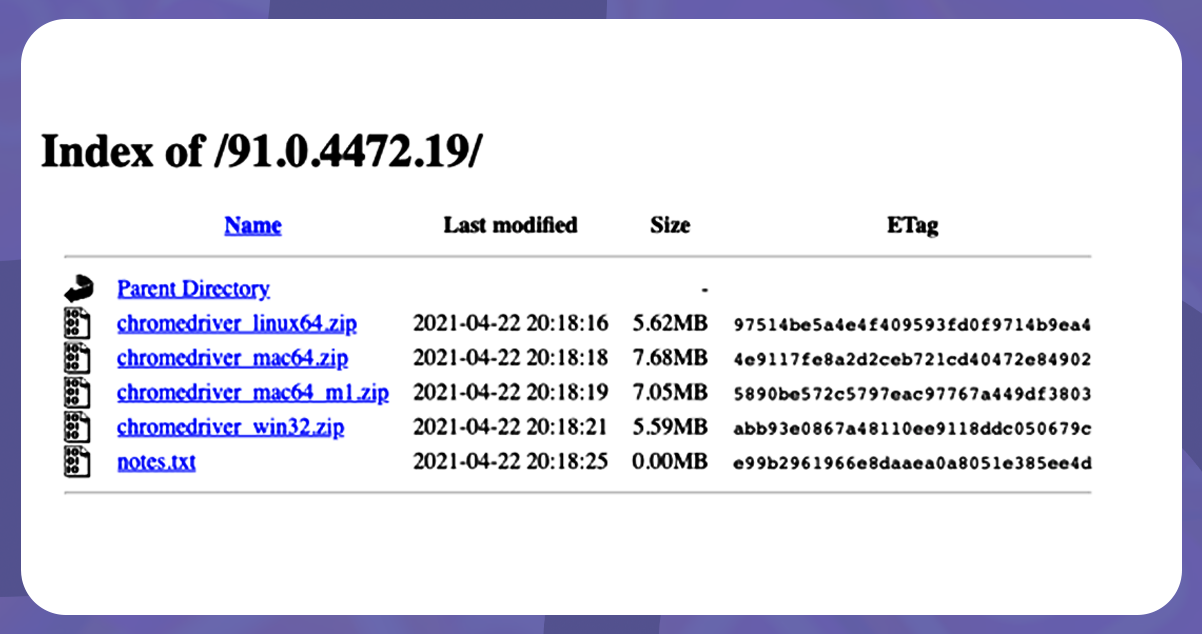
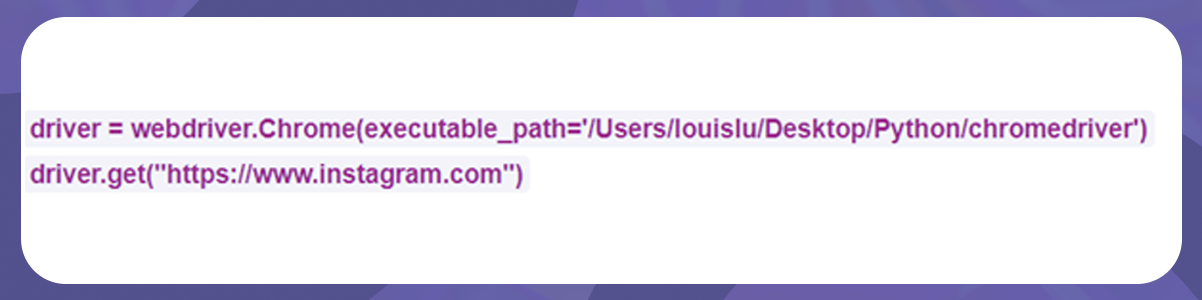
Select the version that easily configures with your device. After downloading, extract the zip and install the ChromeDriver. We will first import modules and other previously created Python scripts in the python script. Then, we generated a variable called the driver and add on the path using executable_path. We also type the code regarding requests to browse Instagram.com.
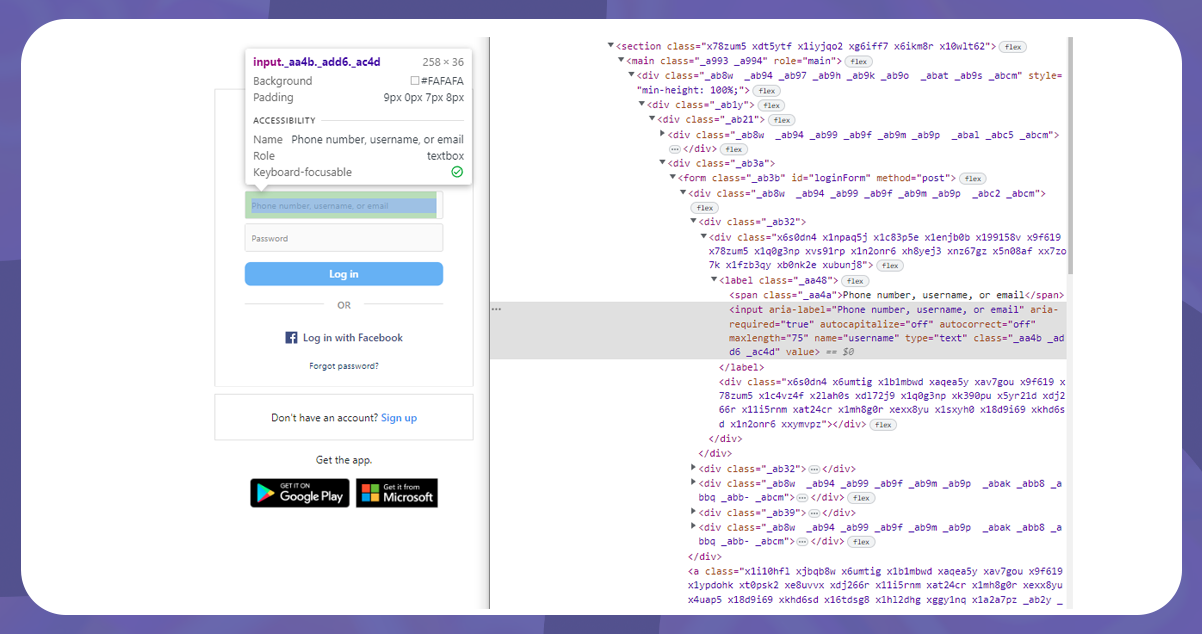
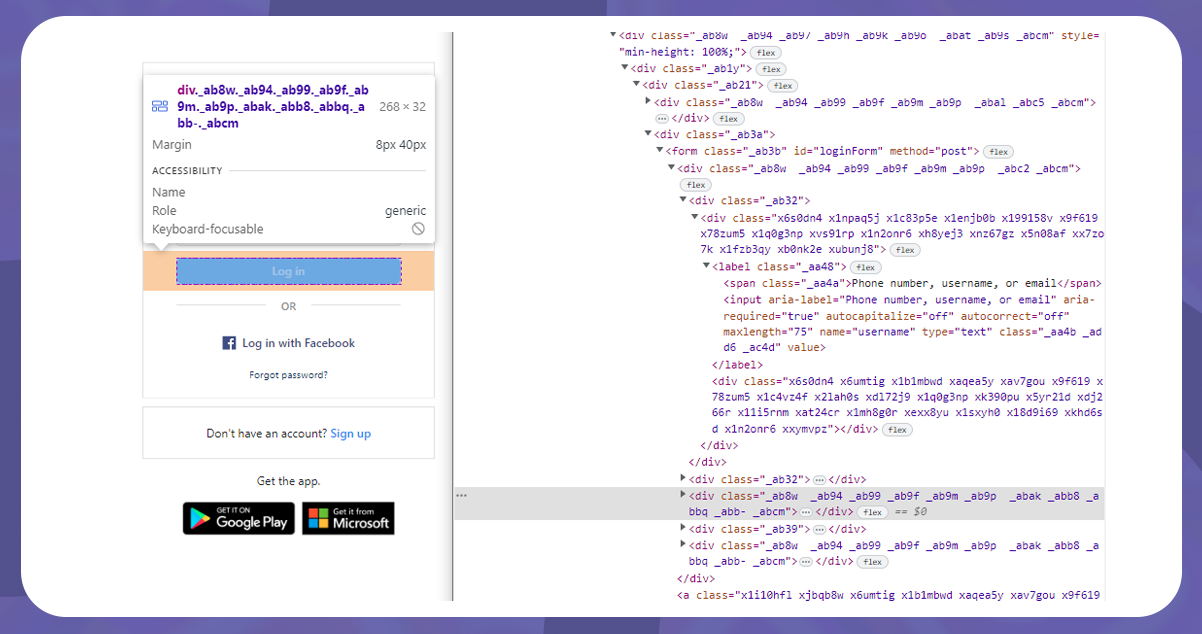
The first thing before you scrape Instagram hashtag data with web scraper is the Instagram login. We will go to the login page and select inspect by right-clicking to find what elements function in the username and password type-in box. Here, we can see that it’s using < input name= “username”> component. So, we can use By.CSS_SELECTOR to specifically target this section.
In the Selenium expected condition, the element is clickable. Here are the codes:
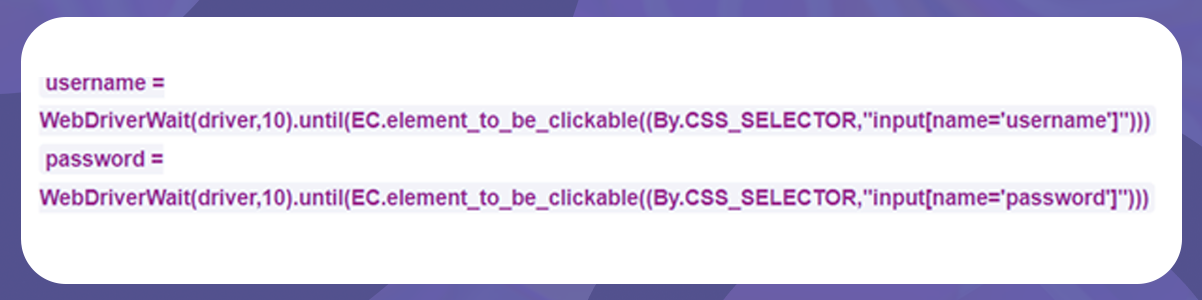
Next, to send the account username and password value to the box, we are using a method from Selenium API_send_keys.
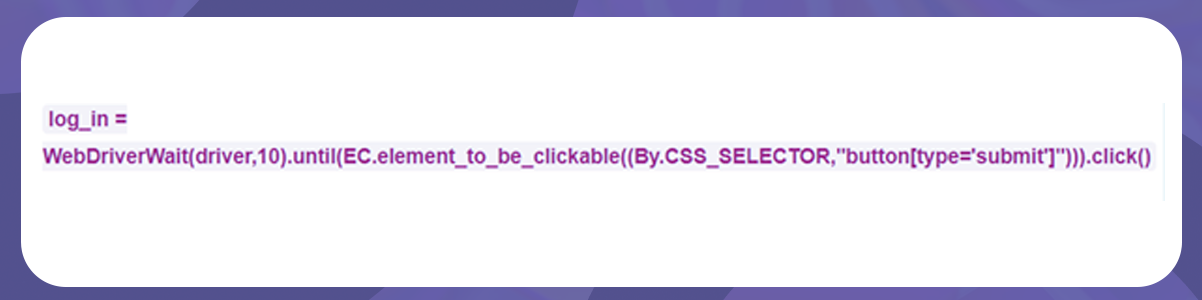
Then, we need to inspect what elements the login button is. As we require to click the button, click() needs adding.
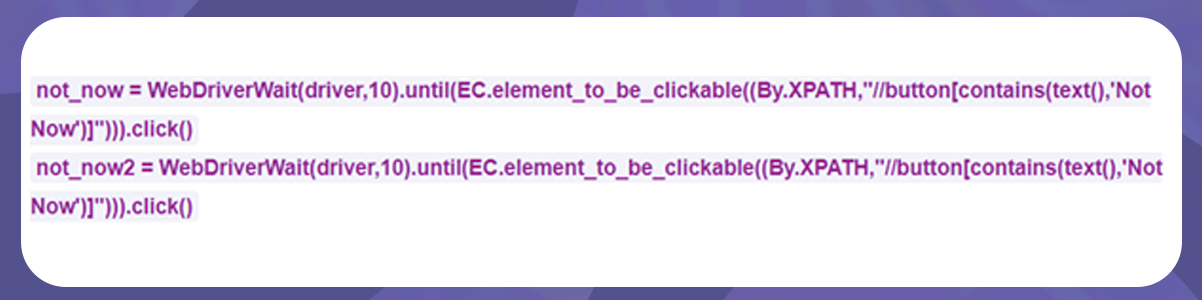
Some platforms show pop-up windows after you log in. Instagram has two windows; for smooth functioning, we can click ‘Not Now.’ Alternatively, we can also use XPATH to click the not now button. The codes will be as follows:
For searching Instagram posts using Instagram hashtag web scraper, Instagram has a fixed path https://www.instagram.com/explore/tags/ + keyword
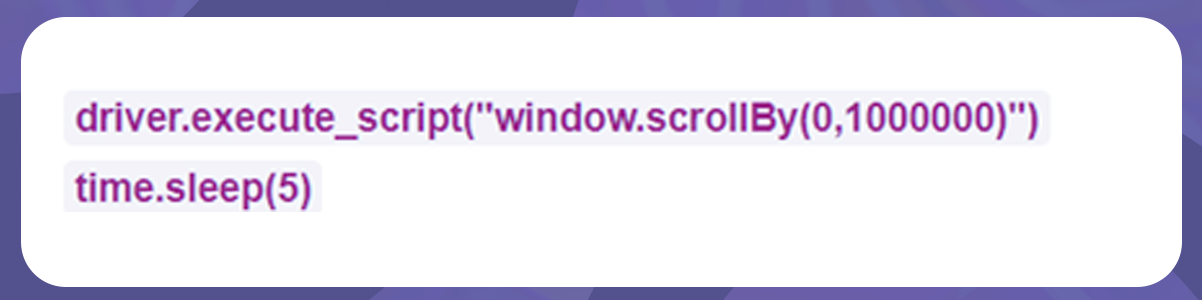
Hence, we will create a query variable first. Now, we will write codes to scroll and add the codes to avoid the scraping restriction due to the loading time. We will use a window.scrollBy () and time.sleep() methods.
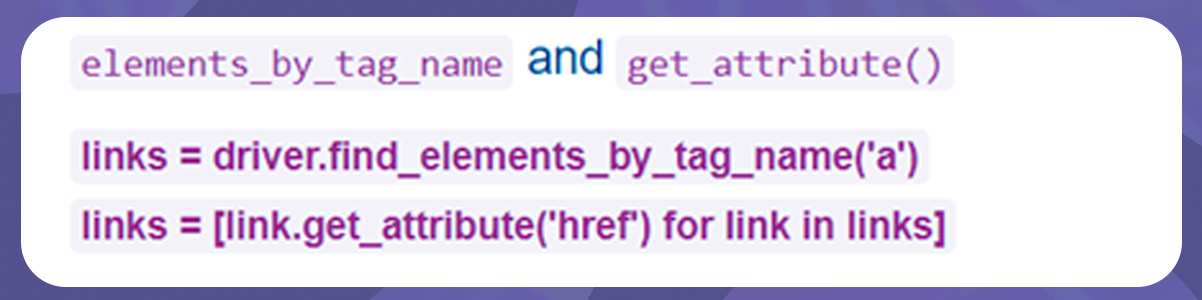
Now that all posts are ready, we will fetch the posts’ links. We will find and inspect the elements. The Selenium argument uses two methods.
To check if you get the results in the links, print these codes.
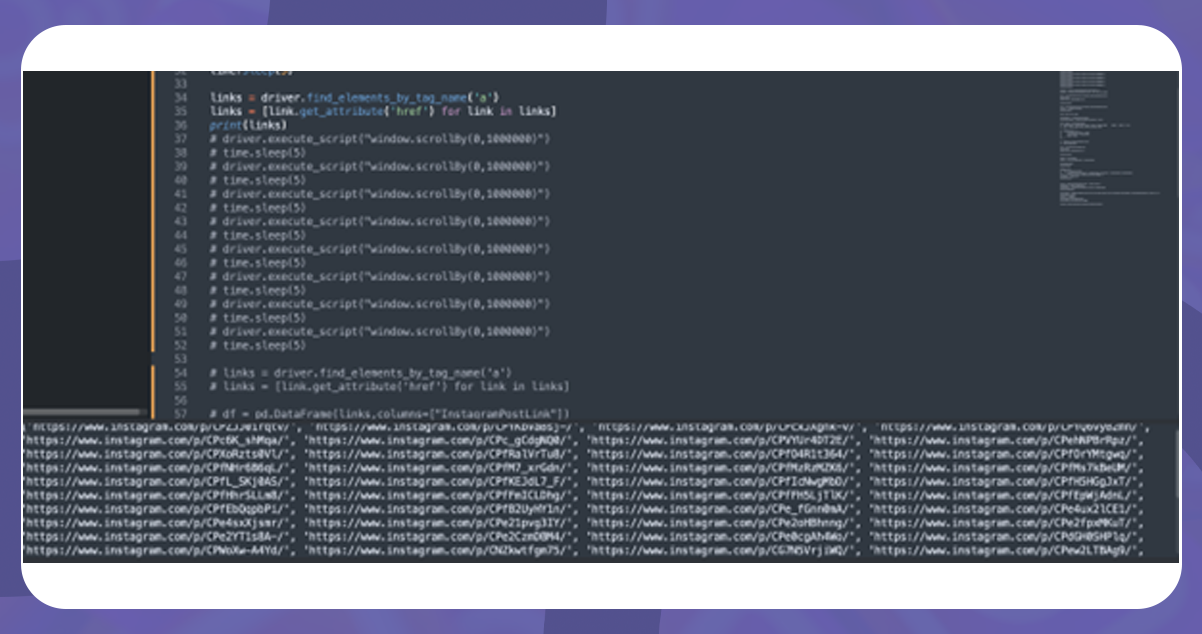
So, to append the column, use Pandas and save it in .csv file format.
CTA: For more information, contact iWeb Data Scraping now! You can also reach us for all your web scraping service and mobile app data scraping service requirements.